back to videos
Getting Started
40 sec
Help Dobbin understand who you are and what matters to you.
Learn how to:
→ Add your bio in Dobbin HQ
→ Use the built-in assistant
→ Get more personalized responses
Transcript:
Welcome to Dobbin HQ.
Before you do anything else, there's one crucial first step that makes your entire experience better:
Adding your bio.
Dobbin is your personal thinking partner.
So for it to help you effectively, it needs to know who you are.
Your bio gives it the context it needs to tailor every answer to your specific role and goals.
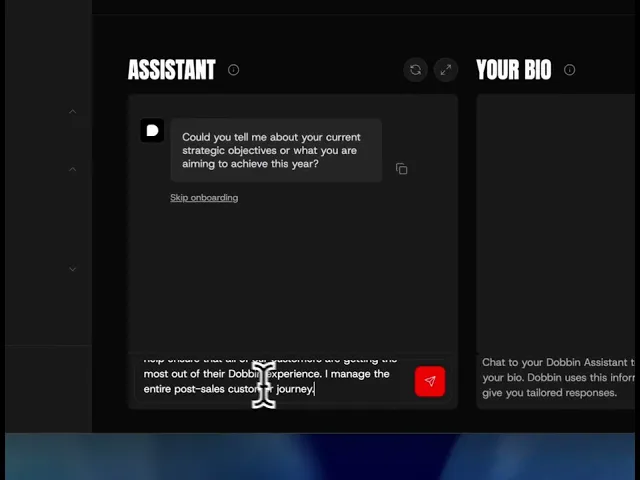
We're here in the Getting Started section of HQ.
First, you'll want to leverage the Assistant tool to help you draft your bio.
Just provide a few key points about your role and responsibilities and let Dobbin help you craft the perfect summary.
Once you're happy with it, it'll automatically save.
Your profile is now complete