back to videos
Knowledge Base
1 min 9 sec
Learn how to connect Dobbin to the apps your team uses every day, like Asana, Notion, and HubSpot.
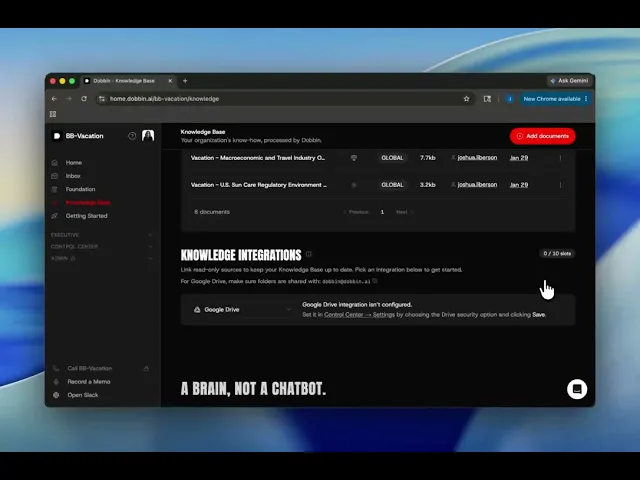
This video shows you how to find your Knowledge Integrations inside Dobbin HQ and start syncing your data. Connecting your tools allows Dobbin to work directly from your actual project files and records.
What we cover:
Where to find Knowledge Integrations in Dobbin HQ.
How to connect apps like Monday and Notion.
How to sync folders from Google Drive and OneDrive.
Which integrations are free to connect.
Transcript:
Did you know you can connect Dobin to the tools you use every day, such as Asana, Notion, and HubSpot?
To help you get started, every account on the team tier now comes with 10 free integration slots.
Let me show you how it works.
First, you're going to want to head to your Dobin HQ and click on Knowledge Base.
Then you're going to scroll all the way down to find your knowledge integrations.
As we scroll through, you'll see that you have 0 out of 10 slots.
This means that right now, you can plug in up to 10 integrations to your Dobin.
When you open the dropdown menu, you'll see you can connect to Monday.com, Notion, Pipedrive, and other integrations.
Each of these uses just one of your 10 available slots.
Our more powerful integrations like Google Drive and OneDrive use 2 slots because they can sync entire folders and understand your team's work in real time.
And then some connections are free, such as ICA and basic Shopify reports.
They don't use any slots at all.
If you ever need more than 10, just reach out and we'll help you get to the next tier.
The process is designed to be self-serve, but if you need any help getting set up, please don't hesitate to reach out.